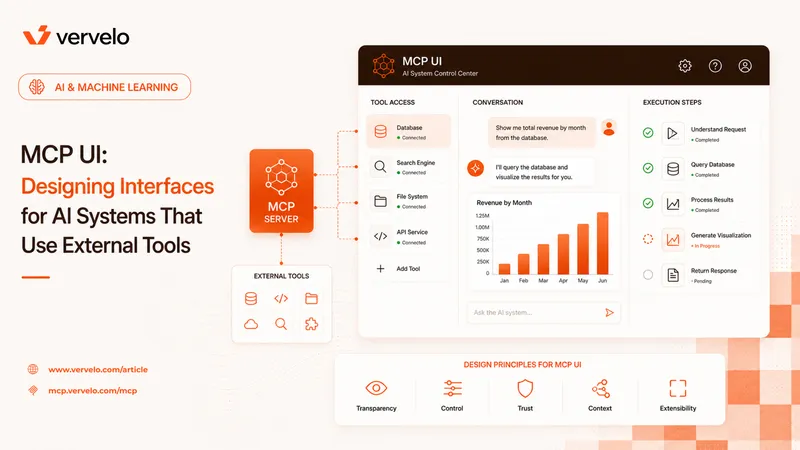
MCP-native applications are a new category. Not just chat UIs with some tools bolted on, but systems designed from the start to compose capabilities from multiple MCP servers. Building them well requires thinking about architecture differently — about where capabilities live, how they fail, and what your application actually owns versus delegates.
What Makes an Application “MCP-Native”
Traditional LLM applications define tools as hardcoded functions in your codebase. You write a search function, a fetch_document function, maybe a run_query function — and you wire them into your model’s tool-calling API directly. Your app owns every capability.
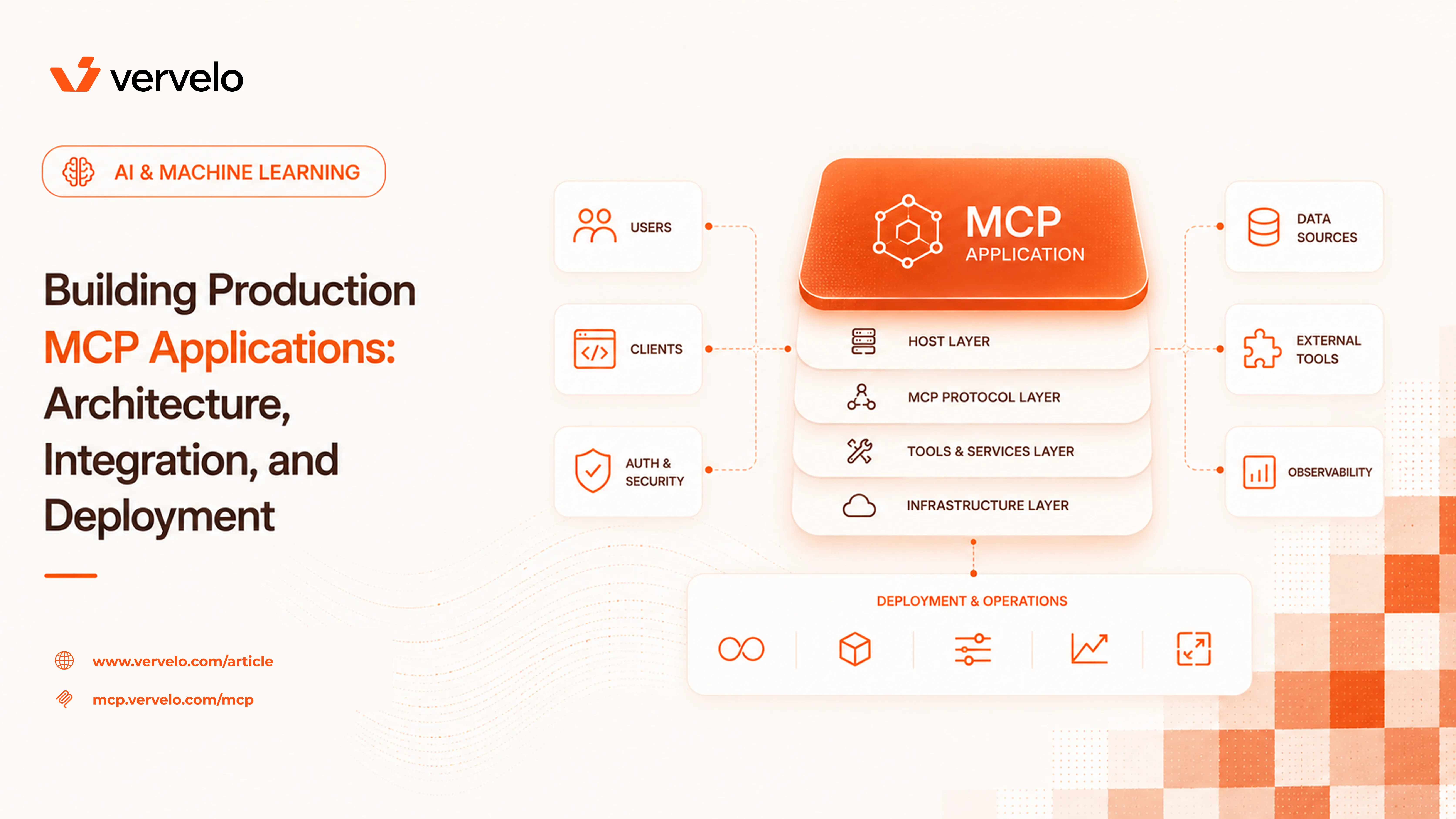
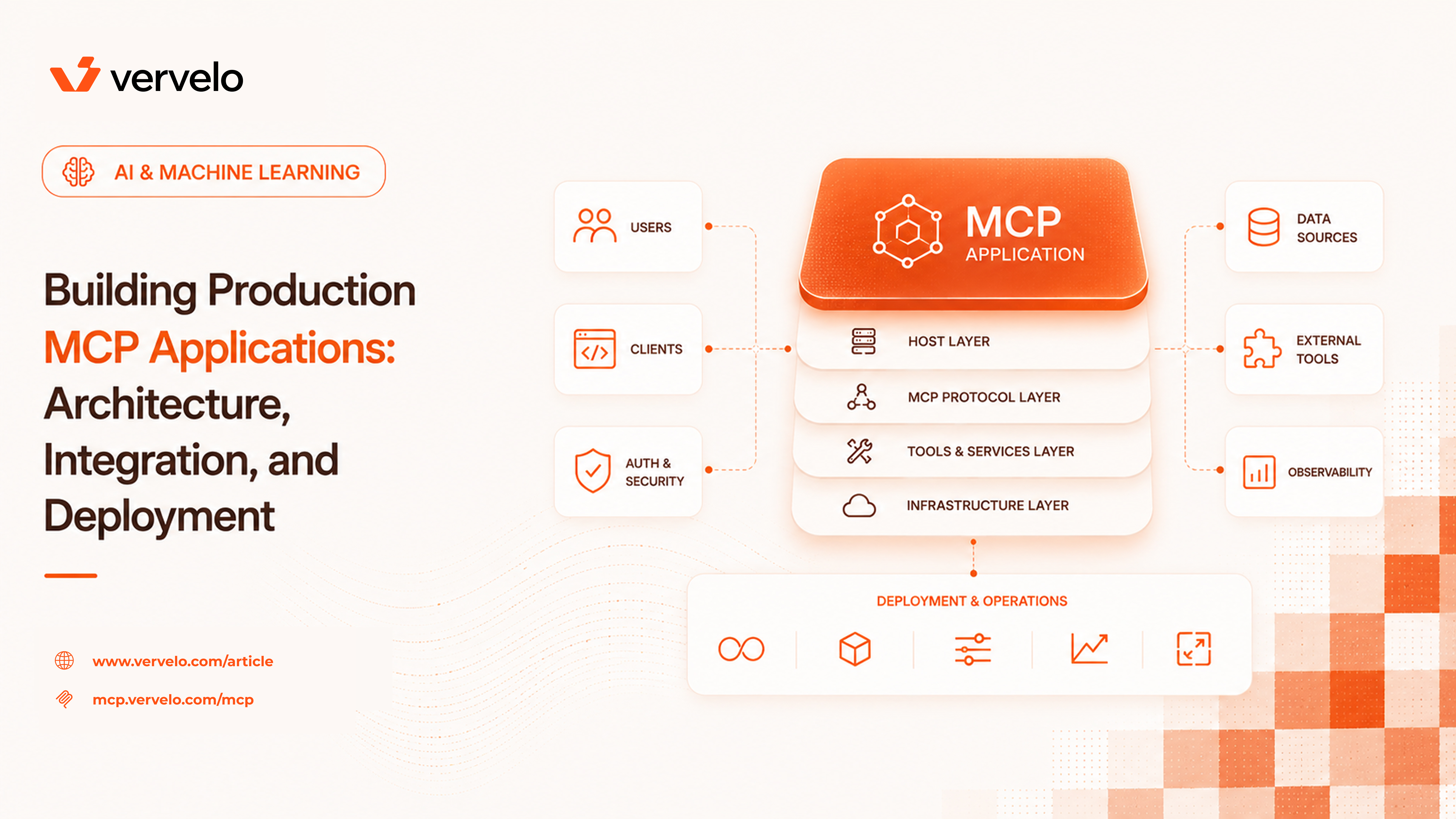
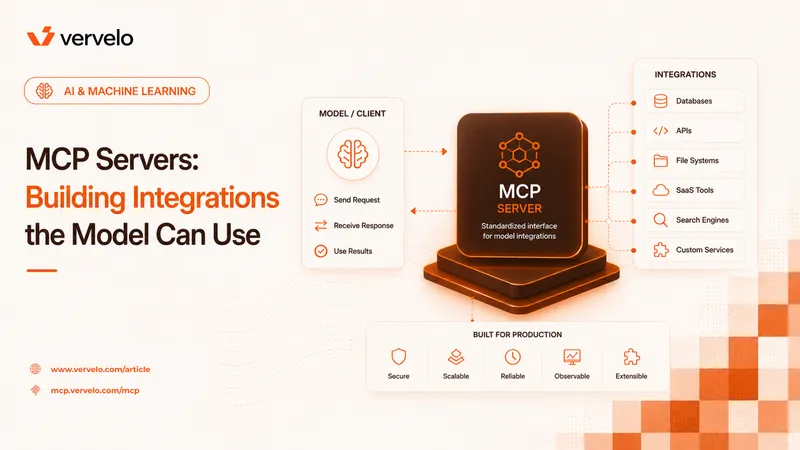
MCP flips this. Tools come from connected servers, discovered dynamically at runtime. Your application becomes a host: it establishes connections, discovers what’s available, and passes that capability list to the model. The tools themselves live elsewhere — in dedicated servers that can be shared, versioned, and maintained independently.
The practical benefits are meaningful. A search server your infrastructure team maintains can be used by five different AI products without anyone duplicating that logic. A database server can be updated with new query patterns without touching your application code. Teams can build and iterate on servers independently of the applications that consume them. The plug-in architecture that frontend developers have had with component libraries, AI teams now have for capabilities.
Choosing Your MCP Host
You need an MCP client library before you can build anything. Your main options:
- Official MCP SDKs — Anthropic publishes reference implementations in TypeScript and Python. These are the most complete implementations and track the spec directly.
- LangChain MCP adapter — if you’re already building on LangChain, their adapter lets you expose MCP server tools as LangChain tools. Convenient if you’re already in that ecosystem; adds a dependency if you’re not.
- Mastra — a TypeScript agent framework with MCP support built in, useful if you want higher-level abstractions over the raw SDK.
- Cline and similar — development-focused tools with MCP support, less relevant for production application backends.
For new production applications, start with the official TypeScript or Python SDK. The reference implementations are the most stable, they support all transport types, and you won’t be dependent on a third party’s interpretation of the spec.
What to evaluate in any client library: Which transports does it support? stdio (subprocess), SSE (server-sent events), and streamable HTTP are the three you’ll encounter. Does it handle reconnection for remote servers? Does it expose the connection lifecycle so you can handle failures gracefully? Can you pool connections or do you open a new one per session? These matter more in production than in a prototype.
Application Architecture
Single-Server Apps
The simplest case: your app connects to one MCP server that provides everything it needs. A coding assistant connected to a filesystem and terminal server. A document QA tool connected to a vector search server. One connection, one tool namespace, easy to debug.
Don’t underestimate this pattern. A lot of valuable applications only need one well-designed server. Start here before adding complexity.
import { Client } from "@modelcontextprotocol/sdk/client/index.js";
import { StdioClientTransport } from "@modelcontextprotocol/sdk/client/stdio.js";

const transport = new StdioClientTransport({
  command: "node",
  args: ["./my-mcp-server/index.js"],
});

const client = new Client({ name: "my-app", version: "1.0.0" });
await client.connect(transport);

const { tools } = await client.listTools();
// Pass tools to your model call
Multi-Server Composition
Real applications connect to multiple servers: a web search server, an internal database server, a third-party API server. The model sees all their tools combined. This is where architecture decisions start to matter.
Tool name collisions are the first problem you’ll hit. Two servers both expose a tool called search. Your model doesn’t know which is which. Solutions: configure aliases at the host level (remap search to web_search and db_search), or namespace tools by server name automatically (websearch__search, database__search). The namespacing approach scales better because it requires no per-tool configuration.
Context budget is the second problem. The model’s context window isn’t free. Every tool you advertise consumes tokens in the system context — the tool name, description, and parameter schema. With five MCP servers each exposing 10-20 tools, you can easily spend 2,000-4,000 tokens just on tool definitions before the conversation starts. Prune aggressively. Only connect servers relevant to the current task. For task-specific agents, hard-code which servers they connect to rather than passing the full universe of available tools.
Error isolation is the third. One server going down should not break sessions that don’t need it. Design your connection management so each server connection is independent. A failure to reach your search server should not prevent the model from using your database server.
// Connect to multiple servers, handle failures independently
const servers = [
  { name: "search", transport: searchTransport },
  { name: "database", transport: dbTransport },
  { name: "internal-api", transport: apiTransport },
];

const connectedClients = await Promise.allSettled(
  servers.map(async ({ name, transport }) => {
    const client = new Client({ name: `app-${name}`, version: "1.0.0" });
    await client.connect(transport);
    const { tools } = await client.listTools();
    return { name, client, tools };
  })
);

// Only use servers that connected successfully
const available = connectedClients
  .filter((r) => r.status === "fulfilled")
  .map((r) => r.value);
Dynamic Server Loading
For enterprise applications where users connect their own MCP servers, the architecture is more involved. You need to handle server connection at runtime — a user adds their Notion server, their GitHub server, their internal data warehouse server — and your application needs to discover the new tools and update the model’s context without restarting.
The pattern that works: keep a server registry in your database (server name, transport config, owner, connection status). Run a connection manager as a persistent service that maintains active client connections per user session. When a user adds or removes a server, emit an event. The connection manager reacts by opening or closing the connection and refreshing the tool list for that session.
The key insight: tool discovery is not free. Triggering a full listTools across all connected servers on every request doesn’t scale. Cache tool lists. Invalidate the cache on connection events, not on every message.
State Management
MCP servers are often stateless. That’s by design — it makes them easier to deploy and scale. But your application isn’t stateless. Conversation history, user preferences, task progress — all of this lives in your application, not in the servers.
Three things you need to manage explicitly:
Conversation store — every message, tool call, and tool result, keyed by session ID. Tool results need to be stored as part of the conversation because the model needs them to reason about what happened. Use a structure that matches the model’s message format so you’re not transforming data on every request.
interface ConversationStore {
  sessionId: string;
  messages: Array<{
    role: "user" | "assistant";
    content: string | ContentBlock[];
  }>;
  // Tracks which servers are active for this session
  connectedServers: string[];
  // Metadata for debugging and billing
  createdAt: Date;
  lastActiveAt: Date;
}
Server connection state — which servers are connected for this session or user. Don’t assume a server that was connected at session start is still connected 20 minutes later. Check connection health on the path, not just at initialization.
Task state for long-running flows — if you’re building agentic workflows that run many tool calls across multiple turns, you need durable state. Current step, results accumulated so far, errors encountered, whether the task is still in progress. A database table or a Redis key-value store works. The model’s context window is not a reliable state store for long tasks.
Building and Deploying Your Own MCP Servers
At some point you’ll need a server for something internal — a proprietary database, an internal API, a specialized data pipeline. The lifecycle:
Build with the official SDK. The TypeScript and Python SDKs make this straightforward. Define your tools with their input schemas, implement the handlers, expose them via the server.
import { Server } from "@modelcontextprotocol/sdk/server/index.js";
import { StdioServerTransport } from "@modelcontextprotocol/sdk/server/stdio.js";

const server = new Server(
  { name: "internal-db", version: "1.0.0" },
  { capabilities: { tools: {} } }
);

server.setRequestHandler(ListToolsRequestSchema, async () => ({
  tools: [
    {
      name: "query_orders",
      description: "Query the orders database",
      inputSchema: {
        type: "object",
        properties: {
          customer_id: { type: "string" },
          status: { type: "string", enum: ["pending", "fulfilled", "cancelled"] },
          limit: { type: "number", default: 10 },
        },
        required: ["customer_id"],
      },
    },
  ],
}));

server.setRequestHandler(CallToolRequestSchema, async (request) => {
  if (request.params.name === "query_orders") {
    const { customer_id, status, limit } = request.params.arguments;
    const results = await db.query(
      `SELECT * FROM orders WHERE customer_id = $1 ${status ? "AND status = $2" : ""} LIMIT $3`,
      [customer_id, status, limit].filter(Boolean)
    );
    return { content: [{ type: "text", text: JSON.stringify(results.rows) }] };
  }
});

const transport = new StdioServerTransport();
await server.connect(transport);
Test locally with stdio transport. It’s the easiest to iterate on — just run the server as a subprocess.
Containerize for deployment. MCP servers are simple processes. A Node or Python Docker image with your server code and its dependencies is all you need. No special infrastructure requirements.
Switch to HTTP transport for production. The SSE or streamable HTTP transports let you deploy the server behind your existing auth layer, scale it independently, and connect to it from anywhere. Configure your auth middleware to validate tokens before requests reach the server.
Security: your MCP server has access to whatever your application credentials allow it. A database server with a read/write database credential can do a lot of damage if the tool definitions are broad or poorly validated. Scope permissions carefully. Use separate credentials per server. A search server gets a read-only API key. A database server gets a read-only database user for query tools, a separate write-capable user only if the tools genuinely need writes. Never use a single god-mode credential shared across servers.
Testing MCP Applications
End-to-end testing is harder than unit testing because the model’s behavior is non-deterministic. A test that passes today may fail tomorrow with the same inputs. You need a layered approach.
Unit test your MCP server logic independently. The tool handler functions are pure-ish functions — they take structured input, call some dependencies, return structured output. Test them with mocked dependencies like you’d test any service layer. This covers the majority of bugs at the lowest cost.
Mock MCP servers in integration tests. Build lightweight mock servers that return deterministic responses. Test your application’s logic — how it handles tool results, how it constructs messages, how it manages state — with predictable server behavior. Your mocks should cover success cases, partial failures, and complete server unavailability.
// Mock server that returns deterministic responses for testing
const mockSearchServer = new Server(
  { name: "mock-search", version: "1.0.0" },
  { capabilities: { tools: {} } }
);

mockSearchServer.setRequestHandler(CallToolRequestSchema, async (request) => {
  // Return fixture data keyed by query
  return { content: [{ type: "text", text: JSON.stringify(fixtures[request.params.arguments.query] ?? []) }] };
});
Run real model integration tests against an eval dataset. A set of known inputs with expected behaviors (not exact outputs — expected tool usage patterns, expected answer quality). Run these periodically, not on every commit. Track pass rates over time. A drop in pass rate is a signal that something changed — your prompts, your tools, or the model itself.
In CI: stub MCP servers, test application logic, keep real API calls to the periodic eval runs. Don’t make your CI pipeline dependent on third-party MCP server availability.
Handling Server Failures
Assume servers will be unavailable. A remote MCP server going down mid-session is a normal operational event, not an exception.
When a server becomes unavailable: remove its tools from the model’s available list for that session rather than surfacing an error to the model. The model will work with what’s available. Tell the user which capabilities are currently unavailable — “I don’t have access to your search tools right now” is a better experience than a cryptic error.
For transient failures — network hiccups, brief server restarts — implement reconnection with exponential backoff. Most clients won’t notice a reconnect that completes within a couple of seconds. Set a max retry count and a max backoff window; beyond that, mark the server as unavailable and move on.
Log connection events. When a server disconnects unexpectedly, you want to know. An alert on unexpected disconnections is worth setting up early.
Tool discovery — listing tools from all connected servers — happens at conversation start. For many servers, this adds latency. Benchmarking the TypeScript SDK against a set of local servers, listTools calls complete in under 5ms per server. Against remote servers over the network, expect 50-200ms per server depending on location and server load. With five remote servers, that’s 250ms-1s of startup cost.
Cache tool lists. Tools don’t change frequently. Cache the result of listTools per server per version, invalidate on reconnection events and on a time-based TTL (an hour is reasonable for most servers). The startup latency drops to near zero for warm sessions.
For tool calls themselves: when the model requests multiple tool calls in a single turn (which Claude and other models do when they can), run them in parallel. Most MCP clients support concurrent calls — don’t serialize them.
// Run multiple tool calls in parallel
const results = await Promise.all(
  toolCalls.map(({ serverName, toolName, args }) =>
    clients[serverName].callTool({ name: toolName, arguments: args })
  )
);
Observability for MCP Apps
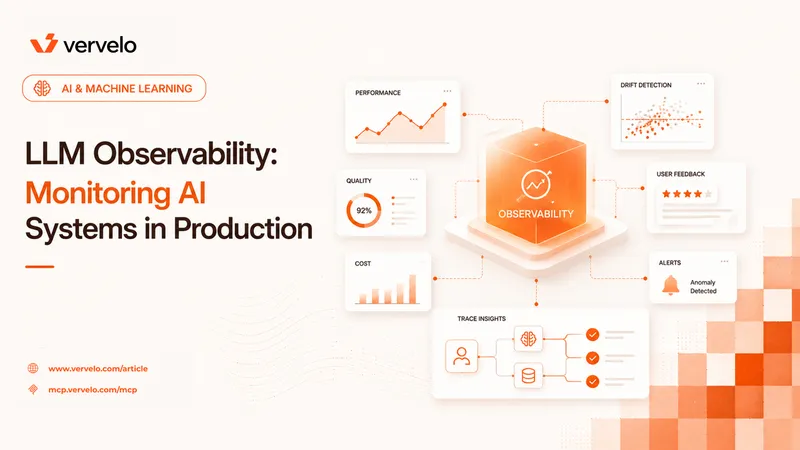
Log every tool call. The minimum useful record: which server, which tool, the arguments (sanitized — strip PII and credentials), latency in milliseconds, success or failure, the size of the result in bytes. This data is what makes incidents diagnosable.
Use a trace ID per conversation. Every log entry for a given session should carry the same trace ID so you can pull the full sequence of events for a session when something goes wrong.
OpenTelemetry is worth adding for production systems. Instrument your MCP client calls as spans: the parent span is the model turn, child spans are individual tool calls. This gives you a trace view of what happened in a turn — which tools were called, in what order, how long each took. Most observability platforms (Datadog, Honeycomb, Grafana Tempo) can ingest OTel traces directly.
The most common thing you’ll need to debug: “why did the model make this tool call with these arguments?” The combination of the full conversation history and the tool definitions at that moment in the session is what you need. Store both.
What to Do Next
If you’re starting a new AI application: connect one MCP server using the official TypeScript SDK and get a working end-to-end flow before adding anything. The first complexity to get right is error handling — what happens when the server is unavailable. Get that right with one server before adding more.
The two architectural decisions that create the most pain if you get them wrong early: how you handle multi-server composition (tool namespace management and context budget) and where conversation state lives. Both are hard to refactor later. Spend an hour on a diagram before writing code.
For teams building internal MCP servers: start with stdio transport for local development, add HTTP transport when you’re ready to share the server across your application fleet. Keep server responsibilities narrow — a server that does one thing well is easier to maintain and less likely to become a security liability than a server with broad access.
The ecosystem is moving fast. The spec itself, the SDKs, and the community tooling are all actively developed. Pin your SDK versions and read the changelog before upgrades. Breaking changes are infrequent but they happen.