Anthropic published the Model Context Protocol (MCP) specification in November 2024. The stated goal: stop every AI application team from rebuilding the same integrations over and over. One protocol, many clients. If you have written the same “connect this LLM to our internal API” code more than once, this is the spec you should read.
What MCP Is (and Isn’t)
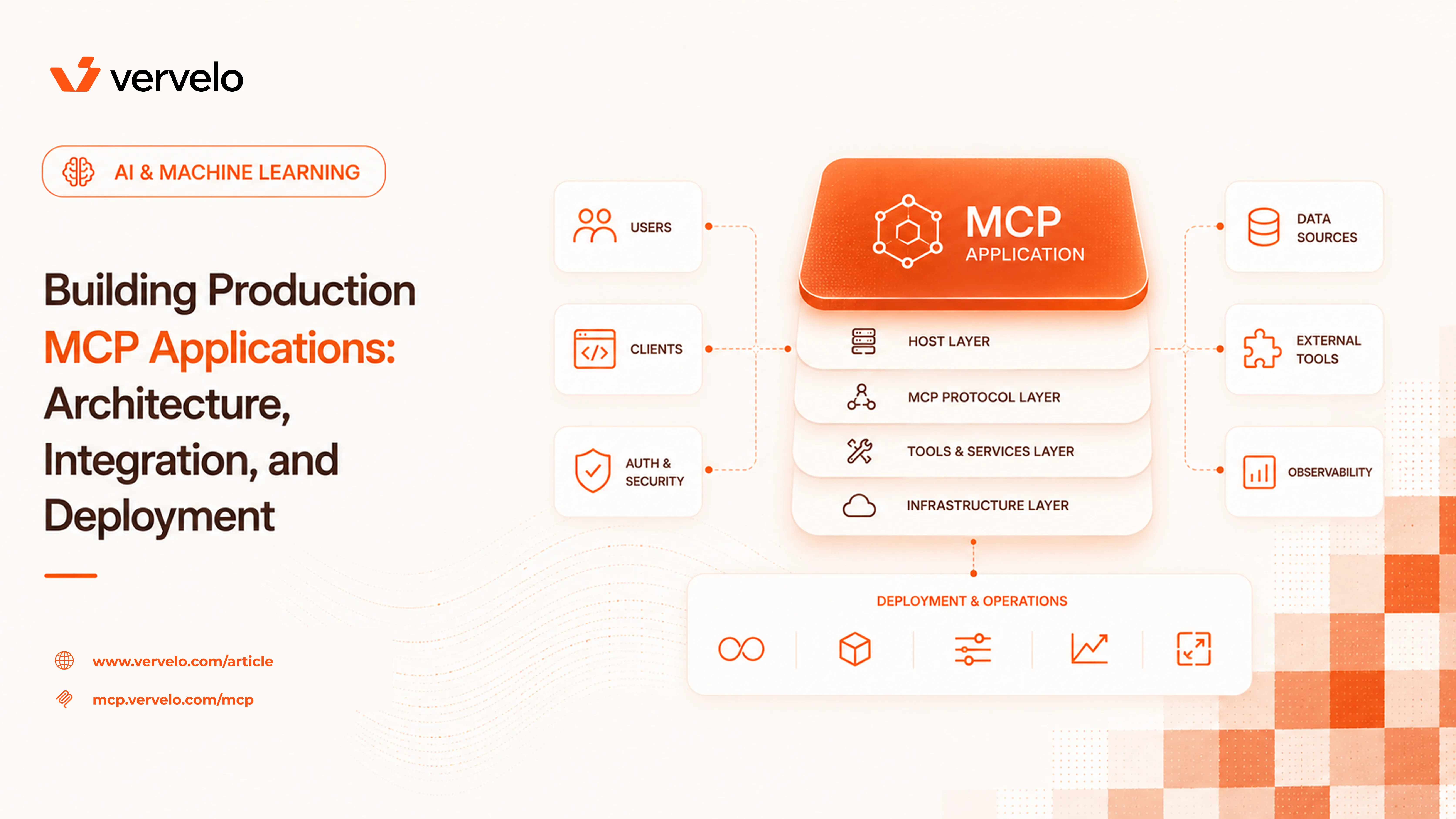
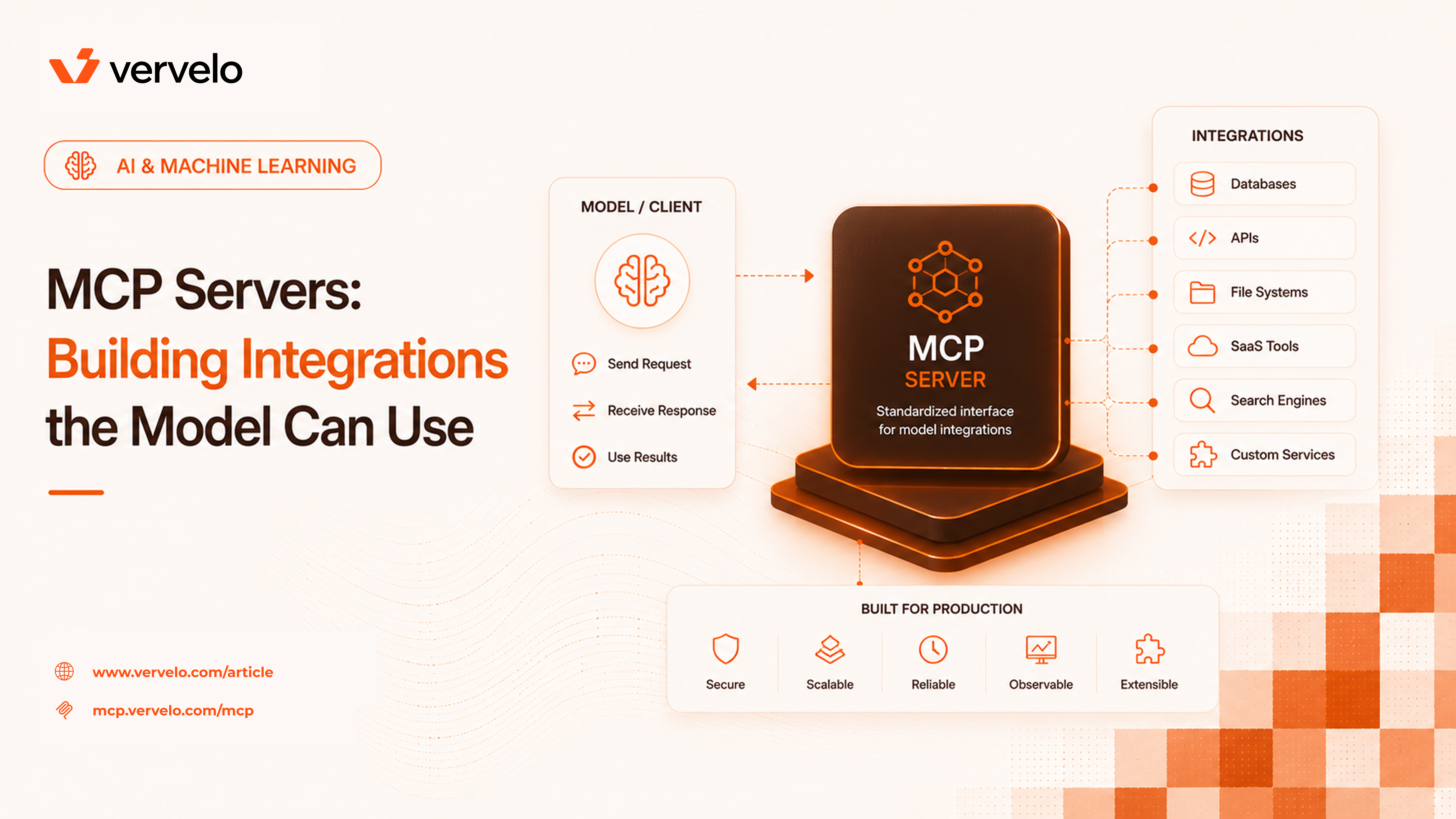
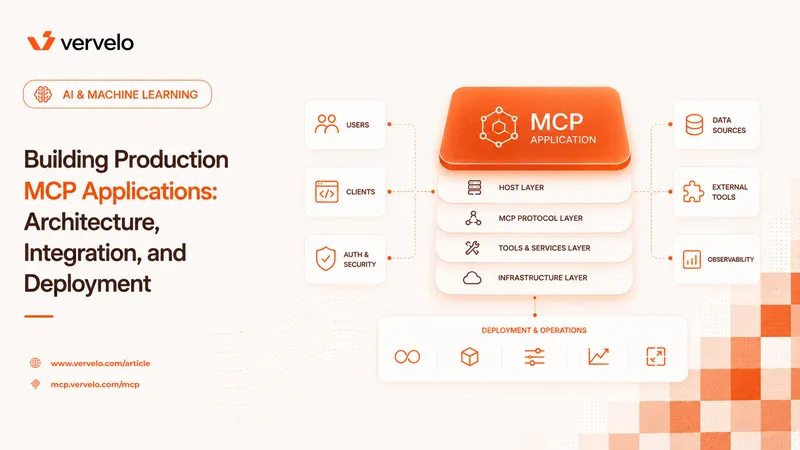
MCP is a client-server protocol built on JSON-RPC 2.0. An MCP server exposes capabilities — tools, resources, and prompts — to an MCP client. The client is embedded in an AI host application: Claude Desktop, Cursor, Cline, VS Code Copilot Chat, or your own application. The server is a separate process or service that you build and run independently.
That separation matters. The server knows nothing about which model is running or how the host decides to call tools. It just implements the protocol, registers its capabilities, and responds to requests. This means the same MCP server works across different host applications without modification.
MCP is not an AI framework. It does not decide when to call tools, how to chain them, or what to do with the results — that stays in the LLM and the host application. MCP is purely the integration layer. Think of it as the USB standard for AI integrations: the protocol is standardized so you don’t need a different cable for every device.
The Three Primitives
The entire protocol is built on three capability types. Understanding them precisely matters before you start building.
Tools are functions the model can call. Each tool is defined with a name, a natural-language description, and a JSON schema describing its input parameters. The description is load-bearing — the model reads it to decide when and how to call the tool. Write bad descriptions and the model will misuse or ignore the tool.
When the model decides to call a tool, the host sends the request to the MCP server. The server executes the function and returns the result. From an implementation standpoint, this is identical in concept to function calling in OpenAI or Anthropic’s native APIs — MCP just standardizes the transport and registration so any compliant host can use it without custom integration code.
One practical implication: tool handlers need to be fast enough that they don’t break conversational latency. If you’re wrapping a slow internal API, add a timeout and return a clear error message rather than hanging the conversation.
Resources
Resources are data the model can read. Files, database records, API responses, configuration — anything your server can retrieve and return as structured or unstructured content. Resources are identified by URI. The model or the host can request a specific resource by URI and get back its contents.
The main use case is on-demand context loading. Instead of stuffing a large document into the system prompt at conversation start, you expose it as a resource and let the model pull it when needed. This keeps base context size manageable and lets you version or update the underlying data without touching the host application.
Resources support two subscription patterns: direct read (one-time retrieval) and subscriptions, where the server can notify the client when a resource changes. Subscriptions are less commonly implemented in current servers but are useful for things like live log tailing or real-time database state.
Prompts
Prompts are reusable message templates exposed by the server. The model or user can invoke a prompt by name, pass optional arguments, and get back a structured message sequence ready to inject into the conversation. They are the least-used primitive in most servers but useful for enforcing consistent workflows — a code review prompt that always follows your team’s checklist format, for example, or a customer support response template that maintains brand voice.
Transport Options
MCP specifies three transport mechanisms, and the choice affects your deployment model significantly.
stdio is the simplest. The client spawns the server as a subprocess and communicates over stdin/stdout with newline-delimited JSON. Local only, no network configuration needed. Claude Desktop uses stdio for local MCP servers. If you’re building a tool for local developer use — querying a local database, reading local files, running shell commands — stdio is the right default.
Server-Sent Events (SSE) is HTTP-based streaming. The client makes an HTTP GET to open an event stream, and the server pushes responses over that connection. SSE works for remote servers but has limitations: it’s one-directional streaming from server to client, the connection setup requires two endpoints (one for SSE, one for client-to-server POST), and it has known issues with proxy compatibility.
Streamable HTTP is the newer transport intended to replace SSE for most remote cases. Single HTTP endpoint, POST requests, supports both request-response and streaming responses. If you’re building a remote MCP server today, start with Streamable HTTP.
The practical rule: use stdio for local tools running on the developer’s machine, use Streamable HTTP for shared remote servers your team or customers connect to over the network.
Building a Simple MCP Server
Here’s a minimal TypeScript MCP server using the official @modelcontextprotocol/sdk. This one exposes a tool that queries a local SQLite database — useful enough to be a real example, small enough to read in two minutes.
First, install the dependencies:
npm install @modelcontextprotocol/sdk better-sqlite3 zod
npm install --save-dev @types/better-sqlite3
Then the server:
import { McpServer } from "@modelcontextprotocol/sdk/server/mcp.js";
import { StdioServerTransport } from "@modelcontextprotocol/sdk/server/stdio.js";
import Database from "better-sqlite3";
import { z } from "zod";

const db = new Database("./app.db");

const server = new McpServer({
  name: "sqlite-query",
  version: "1.0.0",
});

server.tool(
  "query_database",
  "Run a read-only SQL query against the application database. Returns results as JSON. Only SELECT statements are allowed.",
  {
    sql: z.string().describe("A SELECT SQL statement to execute"),
  },
  async ({ sql }) => {
    const normalized = sql.trim().toUpperCase();
    if (!normalized.startsWith("SELECT")) {
      return {
        content: [{ type: "text", text: "Error: only SELECT statements are permitted" }],
        isError: true,
      };
    }

    try {
      const rows = db.prepare(sql).all();
      return {
        content: [{ type: "text", text: JSON.stringify(rows, null, 2) }],
      };
    } catch (err) {
      return {
        content: [{ type: "text", text: `Query error: ${(err as Error).message}` }],
        isError: true,
      };
    }
  }
);

const transport = new StdioServerTransport();
await server.connect(transport);
A few things worth noting here. The tool description includes an explicit statement of what’s allowed (“only SELECT statements”) — this guides the model before it even tries to call the tool. The handler also enforces that constraint, because you should not rely on the model following instructions in the description alone.
The isError: true flag tells the host application and the model that the result represents a failure, which lets the model decide whether to retry, ask for clarification, or report the error to the user.
To wire this up in Claude Desktop, add an entry to ~/Library/Application Support/Claude/claude_desktop_config.json:
{
  "mcpServers": {
    "sqlite-query": {
      "command": "node",
      "args": ["/absolute/path/to/your/server.js"]
    }
  }
}
Restart Claude Desktop and the tool appears in the interface. That’s it.
Authentication and Security
Security is where MCP gets more serious, and where a lot of quick implementations cut corners.
For local stdio servers, authentication is typically not needed. The server runs as the current user’s process and inherits OS-level permissions. Access control means restricting what the server itself can do — which directories it can read, which database tables it can query, which shell commands it can run. Do that explicitly in the server code; don’t assume “the model won’t ask for that.”
For remote servers, the MCP spec supports OAuth 2.1. The host application initiates the OAuth flow, exchanges for a token, and includes it in subsequent requests. If you’re building a remote server that multiple users or teams will connect to, you need this. The spec defines the exact flow, and the TypeScript SDK has scaffolding for it.
The more important security consideration is blast radius. An MCP server runs with real permissions and executes real code on behalf of the model. A filesystem MCP server with write access to your home directory means the model can modify arbitrary files if it decides to. A GitHub MCP server with write tokens means the model can push commits or open pull requests. These are not hypothetical — they are the normal operating mode.
Be deliberate about what you expose:
- Scope credentials to minimum required permissions. A server that only needs to read issue titles doesn’t need a GitHub token with repo write access.
- Validate inputs before executing. The model can generate unexpected inputs. Treat all incoming tool arguments as untrusted user input.
- Log what your server does. When something goes wrong, you want a record of every tool call and its arguments.
- For filesystem servers, restrict the allowed paths explicitly. Don’t expose
/ — expose /Users/yourname/projects/specific-project.
The MCP spec documentation on security is worth reading before you deploy anything beyond local tooling.
The MCP Ecosystem
The server registry at modelcontextprotocol.io lists community-built servers organized by category. Before building, check here. Several widely-used servers are mature enough to use in production:
- filesystem: Anthropic maintains this one. Configurable root directories, read/write access controls. Good first server to run locally.
- github: Read and write access to repos, issues, pull requests. Uses your personal access token.
- postgres and sqlite: Query databases directly from the conversation. Useful for data exploration and one-off analyses.
- brave-search and exa: Web search. Useful when the model needs current information beyond its training cutoff.
- slack: Read channels, post messages, search message history.
- fetch: Make HTTP requests to arbitrary URLs. General-purpose web access.
The ecosystem has grown considerably since the spec launched. Coverage for common internal systems (Jira, Linear, Notion, Salesforce) exists at varying quality levels. Some community servers are single-file scripts; others are maintained packages with proper tests and documentation. Evaluate them accordingly.
Building vs. Using Existing Servers
The decision tree is straightforward.
Use an existing server when: a community server exists for your target system, it’s actively maintained, and it covers the operations you need. The GitHub and PostgreSQL servers in particular are solid. Using an existing server saves weeks of implementation work and you get bug fixes and spec updates for free.
Build a custom server when: your internal system has no existing MCP server, the available servers for your target don’t match your auth model or access patterns, or you need specific behavior that community servers don’t support. Also build when you’re wrapping an internal API — most company-internal systems won’t have community servers.
A middle path worth considering: build a thin custom server that delegates to your existing internal API or SDK. You implement just the MCP transport and capability registration; the actual business logic stays in your existing code. This keeps the MCP server minimal and testable.
When building, keep the server focused. One server per domain is cleaner than one server that wraps everything. A server for your deployment pipeline, a separate server for your analytics database, a separate server for your internal documentation. Smaller servers are easier to reason about, easier to scope permissions for, and easier to replace.
Versioning and Capability Negotiation
One thing the spec handles well that’s worth understanding: capability negotiation. When a client connects to a server, they exchange initialize messages that include the capabilities each side supports. A client that doesn’t support resources won’t request them; a server that doesn’t support subscriptions won’t be asked for them.
This matters for compatibility. If you build an MCP server today, clients that implement newer spec versions can connect to it and the handshake will sort out what’s supported. You don’t need to update your server every time the spec changes, as long as you’re not depending on new features.
The protocol version is included in the initialize message. The current version as of early 2026 is 2025-11-05. When the spec updates, check the changelog before assuming your server needs changes.
What to Do Next
The fastest way to develop intuition for MCP is hands-on. Install Claude Desktop, add the filesystem server pointed at a specific project directory, and spend 20 minutes using it. Watch which tools the model calls and when. Notice where the tool descriptions are clear versus where the model makes wrong assumptions. That will teach you more about writing good MCP tool definitions than any documentation.
After that, pick one internal tool your team uses repeatedly — a CLI that wraps an internal API, a query you run manually every week, a lookup against an internal database — and build a minimal MCP server for it. Keep the first version simple: one or two tools, stdio transport, no auth. Get it working locally, then evaluate whether it’s worth sharing with the team.
If you’re building production tooling, the TypeScript SDK is better maintained than the Python SDK at this point, though both implement the full spec. The official SDK source and the MCP specification repository on GitHub are the authoritative references — the spec is readable and not excessively long.
The protocol is young but the adoption curve has been fast. The client ecosystem now includes enough production-quality hosts that standardizing on MCP for your internal integrations is a defensible architectural decision, not an experiment.